Word Search
Italic GamesWord
4.837.61K Reviews
- Version
- 2.2.9
- Installs
- 10.00M
- Age Rating
- Everyone
Screenshots
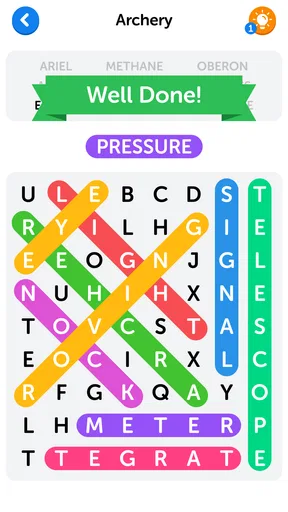
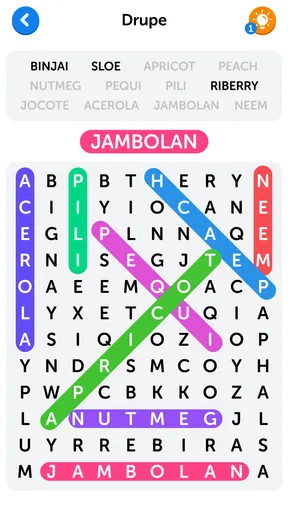
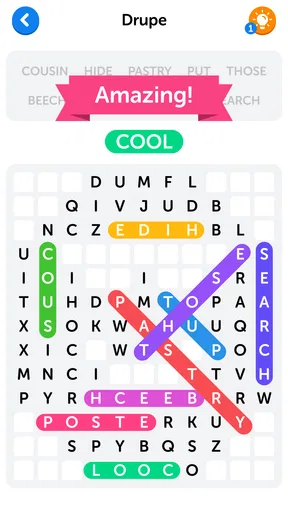
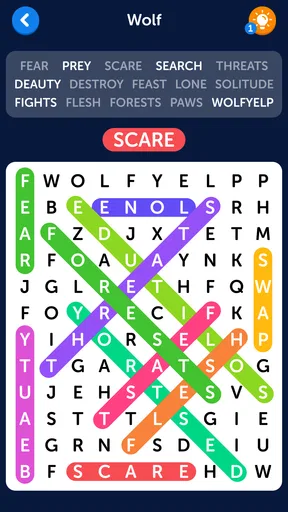
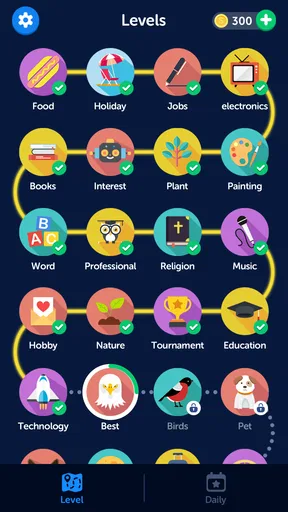
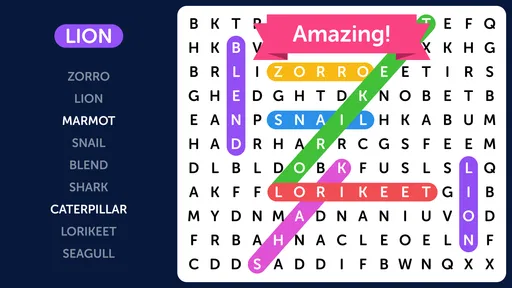
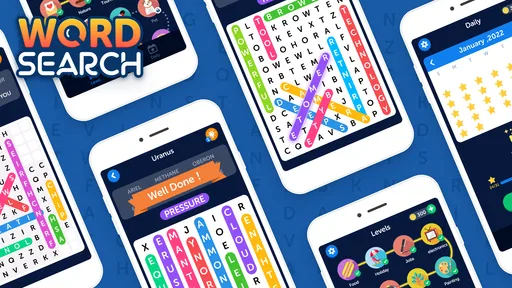
Our Review of Word Search
 Analysis by Appyee
I picked up Word Search from Italic Games expecting a simple way to fill a few spare minutes, and that is exactly where it works best. It is a free word game built around finding hidden words in letter grids, with an approachable design that makes it easy to begin without a tutorial-heavy setup. The appeal is immediate: scan the board, spot a word, trace it, and move on. That simplicity is also the reason it has reached over 10 million installs, earned a 4.8 average from around 460 thousand ratings, and collected roughly 37 thousand written reviews.
After spending time with it, I would describe it as a calm but surprisingly sticky puzzle for people who enjoy visual searching rather than complicated rules. It does not ask me to learn a large system before playing. The early goal is simply to recognize words efficiently, and that small objective becomes satisfying once I start noticing patterns in the grid. Its strongest quality is how quickly it turns a spare moment into a focused little challenge.
How the first few games establish the goal
The opening experience is easy to understand because the central task never gets buried. I look across a field of letters and search for the target words. When I find one, I mark it and continue until the puzzle is complete. There is no need to memorize a complicated control scheme, and the basic interaction feels natural on a phone or tablet.
That clarity matters more than it might seem. Many word games begin with several currencies, missions, timed events, or upgrade screens competing for attention. Word Search keeps the initial objective visible through the puzzle itself. The board is the challenge, and each discovered word gives me a small, immediate reward through progress toward completion.
For a new player, the first useful habit is to avoid reading the grid randomly. I get better results by checking the word list first, choosing a distinctive combination of letters, and then scanning in likely directions. Longer or unusual words are often easier starting points because their letter patterns stand out. Short words can be deceptively difficult, especially when they appear in several possible locations.
This makes the game suitable for a broad age range. Its content rating is Everyone, and I can see why: the rules are gentle, the subject is language, and the activity does not depend on reflexes or complex strategic knowledge. Younger players can practice recognition, while adults can use it as a light mental break. It is also a reasonable choice for someone who wants a word puzzle without the pressure of competing against other players.
The price helps the first decision as well. It is free, so trying it does not require committing money to a style of puzzle that may not suit you. That makes the game easy to recommend as a low-risk download, particularly if you already enjoy word searches on paper and want a portable version.
What counts as progress during play
Word Search does not need elaborate progression signals to make a completed board feel worthwhile. The clearest signal is the gradual disappearance of uncertainty: at the start, the grid looks crowded and unstructured; after several words are found, the remaining letters become easier to interpret. I can feel the puzzle changing from a broad search into a final cleanup.
That shift creates a useful rhythm. Early discoveries build confidence, the middle of a puzzle demands more deliberate scanning, and the last few words often become a test of patience. I like that the game lets completion itself serve as the milestone. There is no need for a large reward screen to understand that I have achieved the immediate goal.
One practical technique is to change the way I scan when I get stuck. Instead of moving from left to right across every row, I pick one target word and look for its first letter throughout the board. From each matching letter, I check the directions where the rest of the word could continue. This reduces visual overload and is more reliable than hoping the answer suddenly appears.
Another useful approach is to use the letters already crossed out or visually marked as information. They are not just decoration after a word is found. They divide the board into areas that still need attention and can make nearby unsolved words easier to isolate. I find that pausing for a second after each discovery is more effective than immediately rushing into another scan.
These small methods are important because the game’s satisfaction comes from improvement in observation, not from building a character or collecting equipment. If you want a word game with a visible personal skill curve, this one provides that in a quiet way. You gradually become faster at recognizing likely sequences and less likely to waste time checking impossible paths.
Does the difficulty rise in a satisfying way?
The difficulty in a word-search puzzle can increase without changing the basic rules. A board becomes harder when words are less obvious, when several similar letter patterns compete for attention, or when the remaining answers are short and easy to overlook. Word Search benefits from that kind of challenge because the controls stay familiar while my attention has to work harder.
I would not call the experience demanding in the same way as a timed logic game. The pressure is mostly self-imposed. I can slow down, rescan the board, and keep looking rather than losing because of a mistake made in a split second. That makes it welcoming for relaxed play, but it also means players seeking intense urgency may find the pacing too gentle.
The most interesting point in a puzzle is often the transition from easy recognition to careful verification. At first I may think I have spotted a word, only to discover that one letter does not line up. That moment encourages a better habit: trace the entire sequence mentally before committing to it. The game rewards accuracy more than impulsive tapping.
Difficulty also depends on the player’s vocabulary. Someone who recognizes many words quickly may find a board comfortable, while a younger player or a learner of English may spend more time simply identifying the targets. In that sense, the game can function as a language practice tool, but I would not confuse it with a structured vocabulary course. It gives exposure and recognition practice, not lessons, definitions, or guided explanations.
That distinction helps decide who should use it. I would recommend it to people who enjoy visual puzzles, casual vocabulary activities, and quiet concentration. I would be more cautious about recommending it to someone who wants word creation, clues, anagrams, or a competitive score chase. A crossword, an anagram game, or a timed multiplayer title would be a better fit for those specific preferences.
How the pacing keeps me coming back
The retention appeal is built around short, repeatable sessions. I can play one puzzle while waiting for an appointment, take a break between tasks, or settle into a longer series when I have more time. Because the main action is immediately understandable, returning after a day away does not require remembering a complicated storyline or a set of temporary objectives.
That convenience is a genuine strength, but it also creates the game’s main limitation. A simple word search can become repetitive if I expect constant novelty. The basic interaction remains the same from one puzzle to the next, so the reason to continue depends on whether I enjoy the act of searching itself. Players who need frequent new mechanics may lose interest sooner than players who appreciate a familiar routine.
I also notice that the game encourages a particular kind of attention: calm persistence. When I cannot find a word, the best response is rarely frantic tapping. I need to reset my eyes, choose a different scanning route, and look for a letter sequence rather than a whole word shape. That makes the experience mildly meditative, although a difficult board can still become frustrating if I keep repeating the same search pattern.
My best everyday use for it is a deliberately limited session. I might open it during a short break, complete a puzzle, and stop once I feel refreshed rather than continuing automatically. That approach preserves the game’s relaxing quality. If I play for too long without changing my method, the visual search can start to feel like work instead of a break.
For parents, the Everyone rating and straightforward rules make it less intimidating than many action-oriented mobile games. Still, I would treat it as a puzzle activity rather than a complete educational program. It can encourage spelling awareness and concentration, but the learning value comes from how the player engages with the words, not from a formal teaching structure.
Where it stands beside other word games
Compared with crossword puzzles, Word Search is more accessible because I do not need to solve clues or produce answers from memory. The words are given to me; the challenge is locating them. That makes it a better choice when I want low-pressure play or when I am tired and do not want to reason through definitions.
Compared with anagram games, it tests visual scanning rather than rearranging letters. I am not asked to build a word from a limited rack or compete with a clock. This gives it a calmer pace, but it also means there is less linguistic invention. If the pleasure for you comes from discovering how letters can be rearranged, another word category will probably feel richer.
Paper word searches still have one advantage: they can feel more tactile and can be completed without a phone. The mobile version wins on convenience, especially when I want a puzzle immediately and do not want to carry a book. The trade-off is that screen play can feel less like a physical pastime and more like another digital activity, particularly during a long session.
Against more elaborate mobile puzzle games, this title is refreshingly direct. The developer, Italic Games, has made the central activity easy to reach, and the current version is 2.2.6. I appreciate that the game’s identity is not obscured by a large amount of unrelated content. At the same time, players looking for deep customization, narrative progression, or a broad collection of puzzle types should look elsewhere.
Small habits that improve the experience
My first recommendation is to treat the word list as a plan rather than a checklist. I start with the longest or most distinctive-looking entry, then move to words that share a recognizable opening or ending. This creates a mental map of the board and prevents me from repeatedly scanning every row with no purpose.
Second, I deliberately reverse my direction when a search stalls. If I have checked from left to right, I examine the same area from right to left, then consider vertical and diagonal paths. Familiarity can make the eyes skip over a correct answer, so changing direction is a practical reset rather than a random trick.
Third, I save the most ambiguous words for later. Short entries and common letter combinations can blend into the grid, but earlier discoveries often reveal the remaining area that deserves attention. Trying to solve every word in list order is less efficient than choosing the answer that is easiest to verify.
Finally, I use the game as a focused pause instead of background noise. Music, messages, and constant switching make visual search harder, so a few uninterrupted minutes produce a better experience than opening it while doing several other things. That is a small adjustment, but it changes the game from idle tapping into a genuinely attentive puzzle.
Who should download it, and who should skip it?
I think Word Search is a strong match for anyone who wants a free, uncomplicated word puzzle with a gentle learning curve. It works especially well for short breaks, family-friendly play, vocabulary recognition, and players who enjoy completing one self-contained challenge at a time. The broad popularity reflected in its rating and install count also makes it an easy starting point for someone browsing the word-game category without a specific title in mind.
I would skip it if your priority is competitive pressure, social interaction, detailed explanations, or dramatic progression. The game’s charm comes from repetition refined into skill. That is satisfying when I want a dependable search puzzle, but limiting when I want every session to introduce a new mechanic or a stronger sense of achievement.
Device compatibility is another practical advantage for older hardware: the minimum operating system is Android 4.0. That broad requirement makes it accessible to people who are not using a recent phone. The game is also free and rated Everyone, so the basic decision is straightforward for most casual users.
My overall verdict is positive, with a clear qualification. Word Search does not reinvent the word-search format, and its simple structure will not satisfy players who need elaborate unlocks or escalating systems. What it does offer is a clean early goal, understandable progress, a challenge that comes from observation, and pacing that fits real life. If you want a reliable word-search routine rather than a feature-heavy game, this is an easy recommendation.
After trying it, I see why the game has remained appealing since its release on August 19, 2019. It does not demand a large time commitment or a steep learning curve. I can open it, understand the task, improve my scanning technique, and leave after a useful mental break. For that focused purpose, Word Search from Italic Games is a well-judged free game: modest, accessible, and most enjoyable when its simplicity is exactly what I am looking for.
Privacy and Permissions
See what permissions an app requests and how it handles your data.
- Wi-Fi connection information
- view Wi-Fi connections
- Other
- view network connections, full network access, control vibration, prevent device from sleeping, Google Play license check
Verdict
Strengths of Word Search
- Large word libraries keep puzzles varied and replayable.
- Simple controls make it comfortable for players of all ages.
- Helpful hints can assist when a word is difficult to spot.
- Short rounds work well for quick breaks or casual play.
- Improves spelling, vocabulary, and visual scanning skills.
Limitations of Word Search
- Some puzzles may feel repetitive after extended play sessions.
- Hints or extra features may be limited without an internet connection.
- Small text can be difficult to read on compact phone screens.
- Difficulty may not increase evenly across every puzzle pack.
- Frequent ads can interrupt gameplay in the free version.
Other Releases by Italic Games
View All
3D Bowling
Sports4.7

Dominoes - Classic Domino Game
Board4.9
Similar Picks in This Category
View All
Word Search - Word Puzzle Game
Bluetile4.8

Word Search Quest - Puzzles
Blackout Lab4.8

CodyCross: Crossword Puzzles
Fanatee, Inc.4.7

Words of Wonders: Crossword
Fugo Games4.9

Wordscapes: Word puzzle game
PeopleFun4.7

Word Search Explorer
PlaySimple Games4.9
Frequently Asked Questions
What is Word Search and how is the game played?
Word Search is a puzzle game in which you find hidden words inside a grid filled with letters. Words may appear horizontally, vertically, diagonally, and sometimes backward, depending on the selected difficulty. After choosing a puzzle or category, you scan the board and swipe across each discovered word to mark it. The objective is usually to find every listed word using as little time and as few hints as possible.
Does Word Search work offline, or is an internet connection required?
Most of the core Word Search experience can generally be enjoyed without a continuous internet connection, which makes it convenient for travel, commuting, or areas with limited coverage. However, certain features may depend on connectivity, including advertisements, cloud synchronization, online events, leaderboard updates, or downloading additional puzzle packs. It is a good idea to open the game online at least once after installation so available content can load correctly.
Is Word Search suitable for children and beginners?
Word Search is usually accessible to children, beginners, and casual players because the basic controls are simple: read the word list, locate the letters, and drag across the matching sequence. Difficulty can vary considerably, however, with larger grids, longer words, unusual vocabulary, and diagonal or reversed placements. Parents should also review advertising, in-app purchase, and privacy settings before allowing younger children to play.
Are there hints, different difficulty levels, or customization options?
The game commonly includes several ways to adjust the experience, such as easy, medium, and challenging grids, themed word categories, hint buttons, and puzzles with different board sizes. Hints can be useful when a word is difficult to spot, although they may be limited or connected to advertisements or in-game rewards. Depending on the version, players may also find options for themes, sound effects, language selection, and visual preferences.
Does Word Search contain advertisements or in-app purchases?
Word Search is often free to download, but the free version may be supported by advertisements that appear between puzzles, when requesting hints, or during other menu actions. Some editions also offer optional purchases for removing ads, unlocking premium puzzle packs, or obtaining extra hints. Before downloading, check the store listing for current pricing and purchase details, and use device-level parental controls if children will be playing.
Play our best games!


